We've been listening. Over the last few weeks we've read every message, watched how people actually use Long Play, and asked ourselves one question: how do we make this feel easy?
The answer we keep coming back to is choice. Some of you want to upload a film, share the link and get on with your day. Others want a channel that looks like a studio's own site, with festival laurels and a trailer. Both are right. So everything new here is optional: start simple, and go further only if and when you want to.
Your channel page, your way
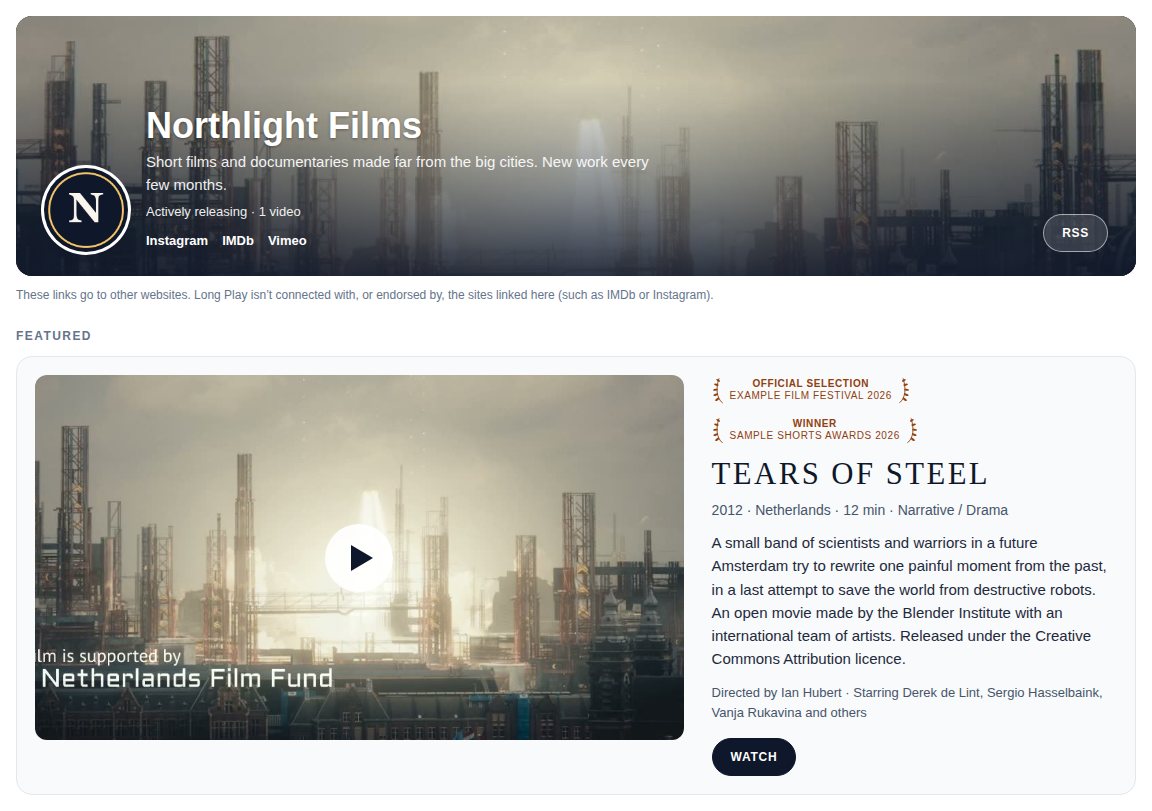
Your channel page now has a proper header. Add a logo and it shows in a circle at the top of your page, next to your name on your videos and in messages. On the Creator and Pro plans you can add a wide banner behind your name, and show your featured film large, with its picture, laurels, synopsis and a Watch button.
You can also add links to your Instagram, Letterboxd, IMDb, Vimeo, YouTube and other pages, and choose the order of your videos: newest first, oldest first, or your own order, set by dragging them into place.
Don't want any of it? Leave it. Your page works exactly as before. Everything lives in Settings, under Your public page. How to set up your channel page
Film pages that feel like a premiere
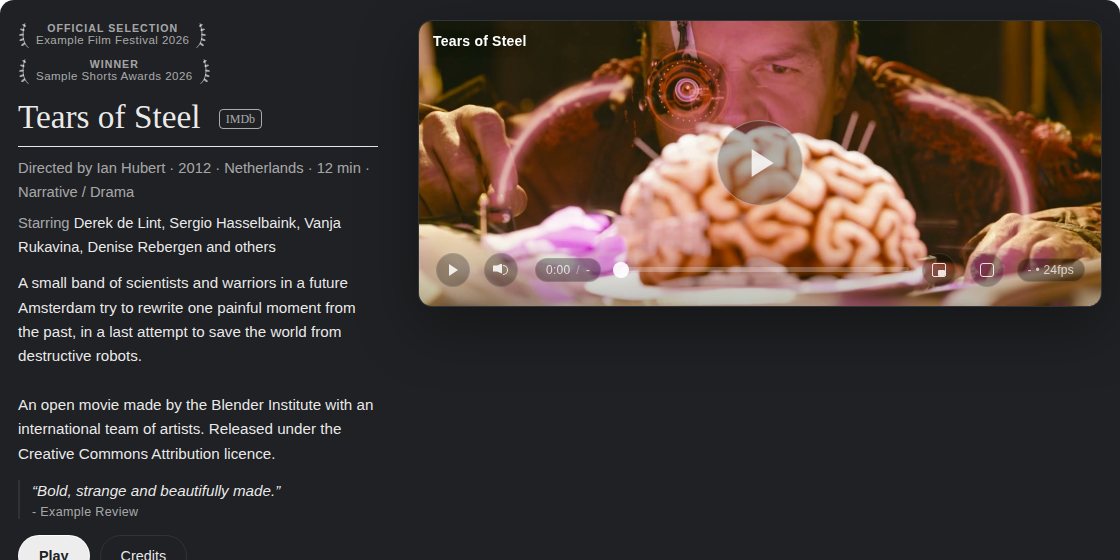
On the Creator and Pro plans, each film can now use one of four watch page layouts, from the simple Standard page to Classic, Feature and Screening room. Add festival laurels, press quotes, the year and country, and link a trailer or a scene, and the page starts to look like the film's own home. Pick an accent colour and your buttons match it.
Set a default for your whole channel, or choose per film. Watch page layouts, trailers and scenes
Let people try before they buy
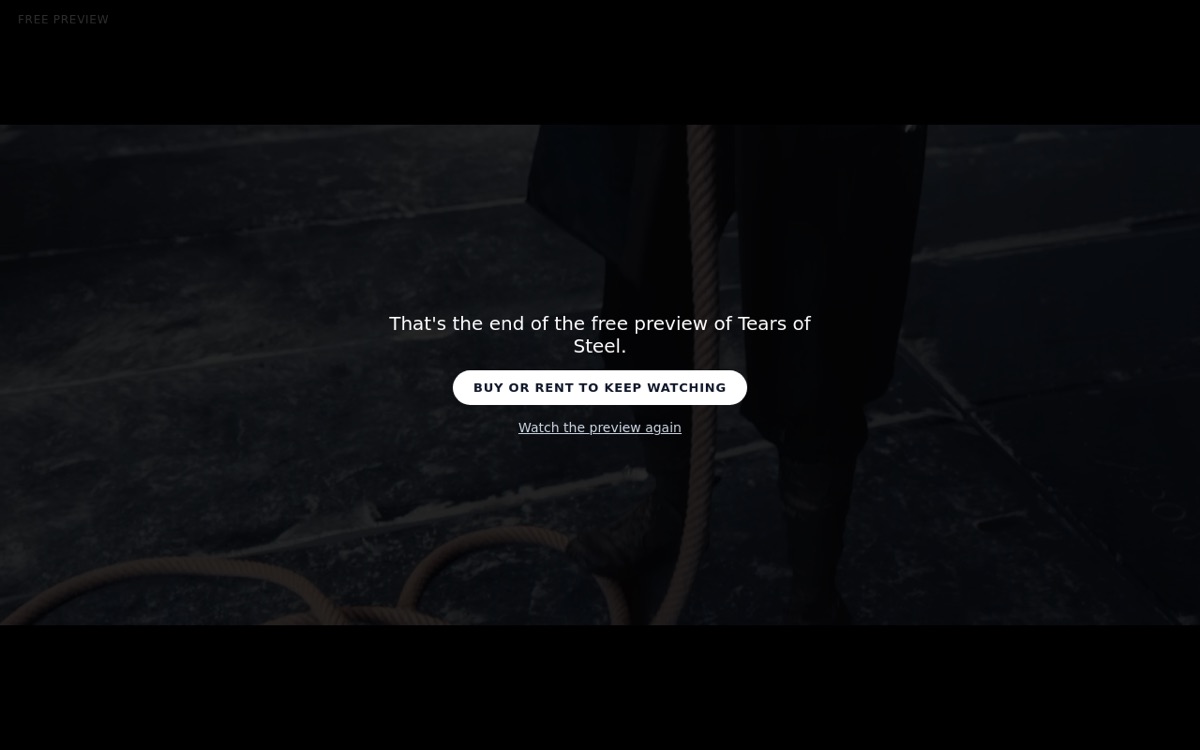
If you sell or rent a film, you can now offer a free preview: the opening minutes, or a scene you choose. When it ends, viewers see a clear button to buy or rent and keep watching. Free previews for films you sell or rent
Less repeat work
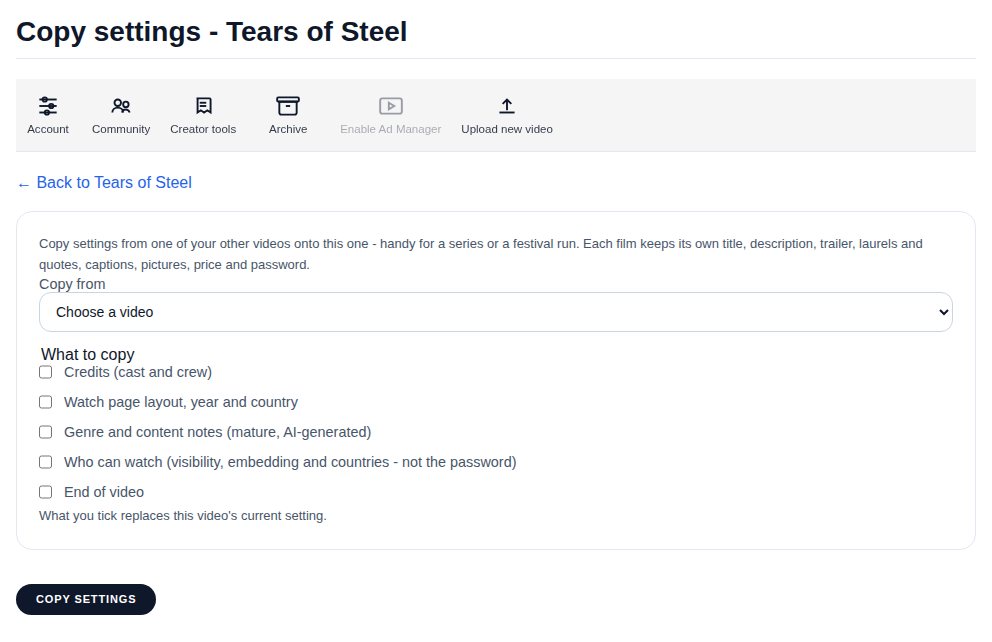
Putting up a series, or a run of festival films? Copy settings from another video brings across credits, the watch page layout, genre, who can watch and the end of video in one go. Each film keeps its own title, description, trailer, laurels and price.
And in your library you can now tick several videos and change their visibility, genre or page layout, or add them to a collection, all at once. Your video's edit page and Changing several videos at once
Simpler where it counts
Uploading is now one clear page: drop your file, confirm a few things about your rights, and you're done. Everything else is tucked under More options, for when you want it. Each video's edit page groups its settings into Essentials, Make it look professional, and Sell and share, and every card shows what's already set, so you can see at a glance what's done. Uploading a video
Behind the scenes we've also smoothed a lot of rough edges. Pages line up properly on every screen size, and if something does go wrong you'll see a clear page with a way forward rather than an error code.
Tell us what's next
These changes came from what you told us, and we'd love to hear more. If something is confusing, slow or missing, get in touch. A real person reads every message.
Keep it simple, or make it yours. Either way, Long Play should get out of the way and let your work speak.