Giving a free preview of a paid film
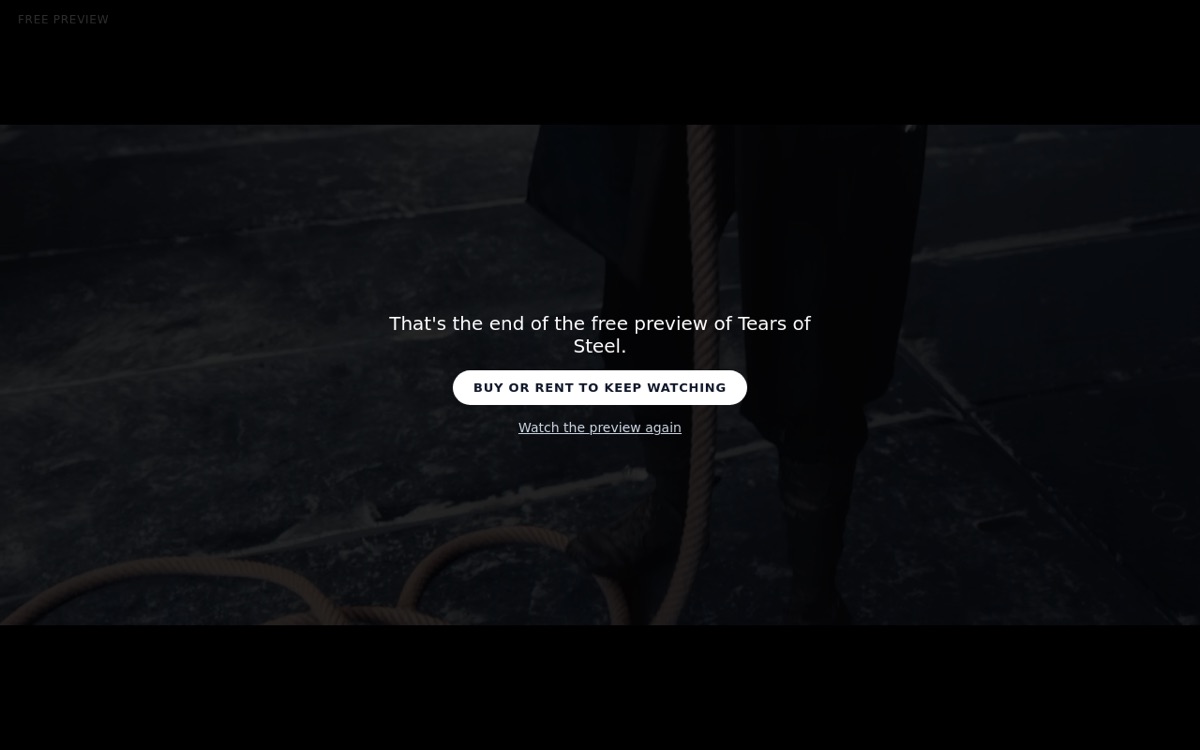
If a film is for sale or rent, you can let people watch part of it for free before they pay: the opening, or a scene from anywhere in the film. When the preview ends it says Buy or rent to keep watching. Free previews are on the Creator and Pro plans.
Setting one up
- Open the film's edit page and choose Sell or rent.
- Under Free preview, choose The opening or A scene.
- For the opening, enter how long, for example 3:00. For a scene, play the film, pause where the scene starts and choose Set in here, then where it ends and choose Set out here. You can also type the times.
- Select Save free preview. It takes about a minute to prepare, then the page says Ready with its exact start and end, and Watch the preview lets you check it.
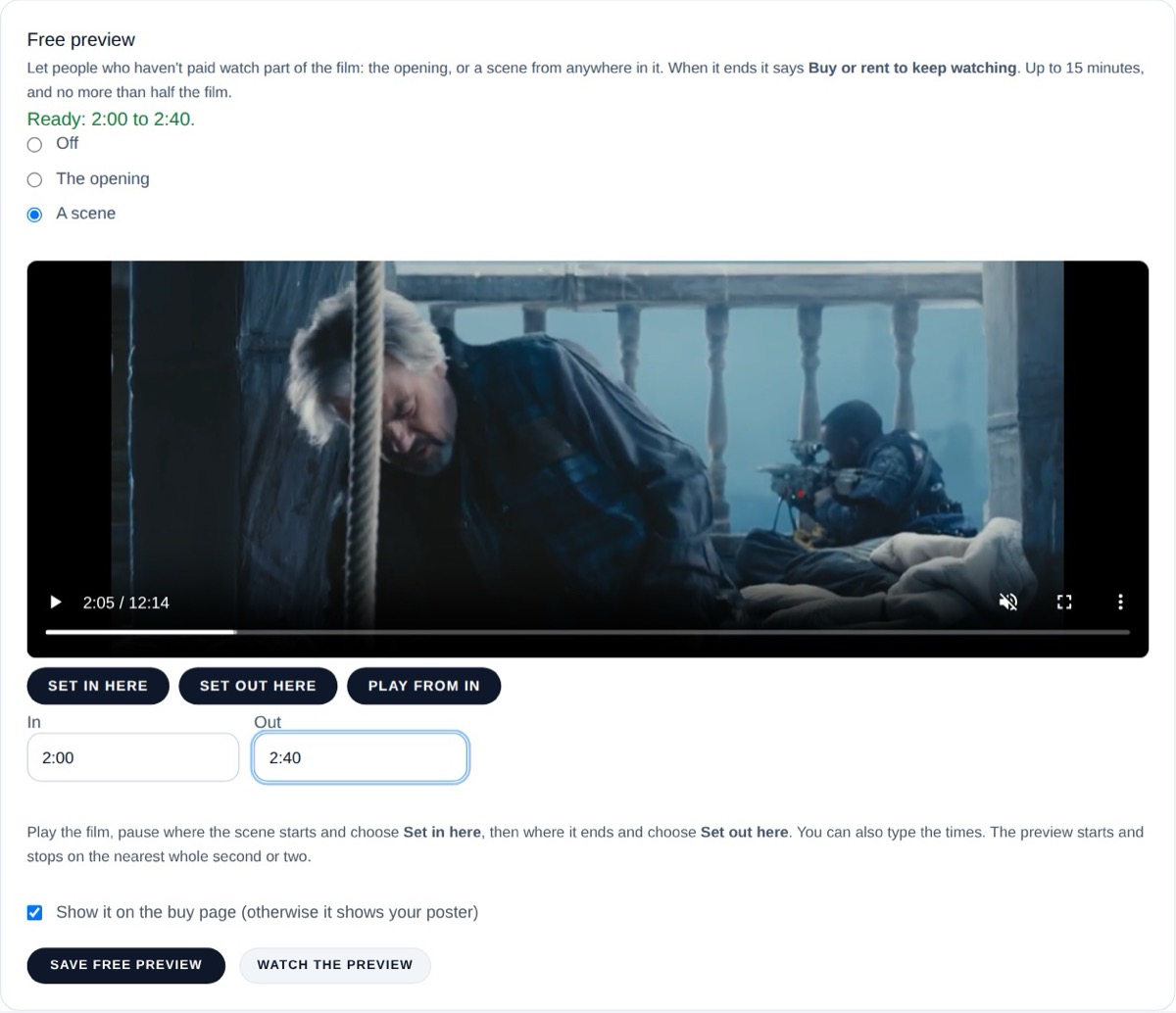
A preview can be up to 15 minutes long, and no more than half the film. It starts and stops on the nearest whole second or two.
Where viewers see it
On the film's buy or rent page, and when the film is embedded on other websites, people who haven't paid see the preview with the price and the buy and rent buttons. If the film has a trailer too, the preview replaces it there; untick Show it on the buy page to show the trailer instead.
Changing or removing it
Change the times and save again, or choose Off and save to remove it. If you replace the video or apply a Video Fix, the preview is made again from the new version automatically; until it's ready, the buy page shows your trailer or poster.
What stays protected
Viewers who haven't paid can only ever watch the part you chose. The rest of the film is never sent to them.