A press kit page for your film
Festival programmers, journalists and distributors usually ask for the same things: a picture, a short summary, the cast and crew, any awards, a trailer and who to contact. A press kit page puts all of that on one page you can send as a link. Press kits are on the Creator and Pro plans.
Setting one up
- Open the film's edit page and choose Watch page.
- Under Press kit page, tick Make a press kit page and add a Press kit button to the watch page.
- Add a logline: one or two sentences about the film.
- Add a press contact: an email address or a web address.
- Press Save changes. The settings then show the page's address, ready to copy and send.
What's on the page
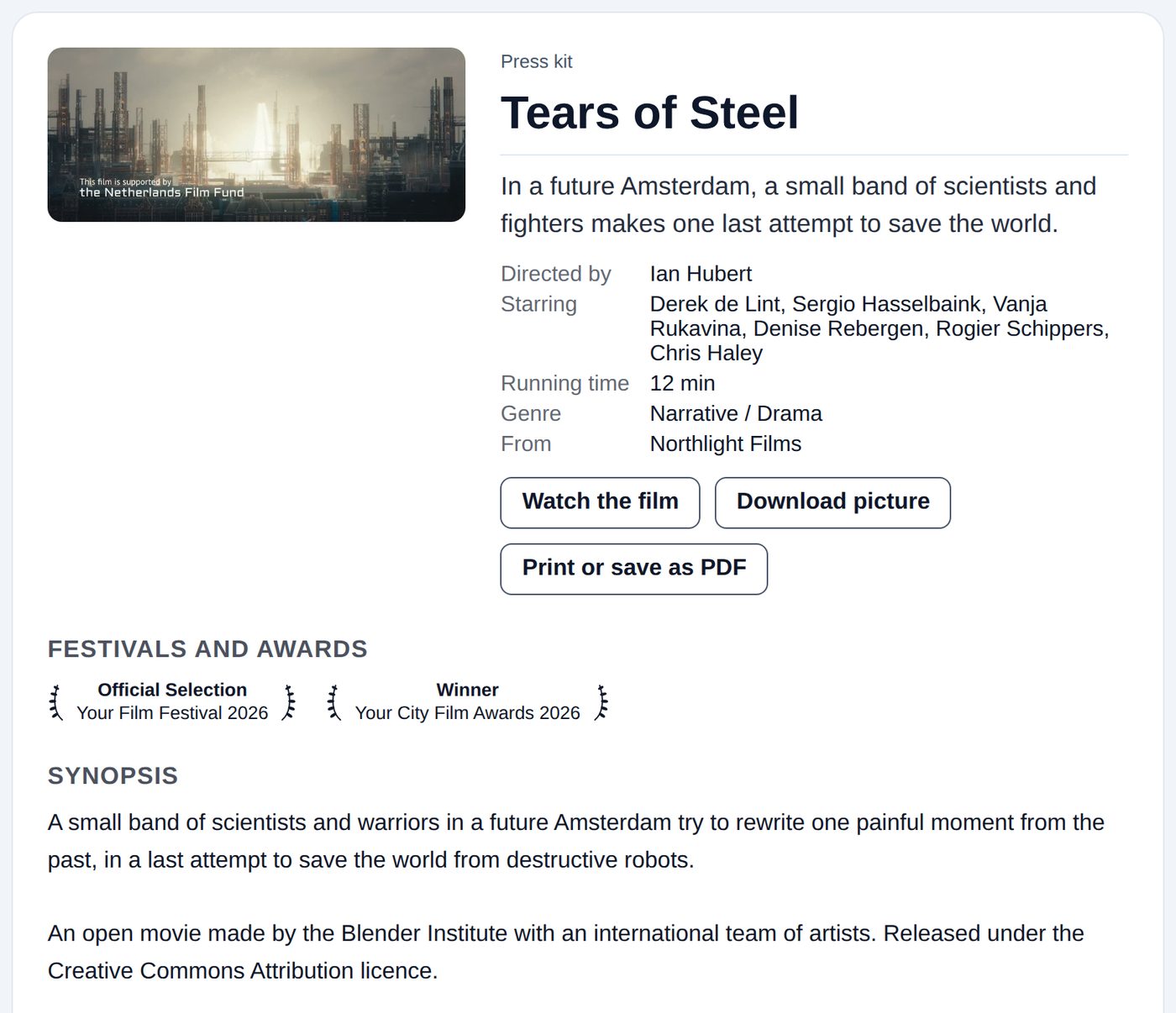
- The film's picture, title and logline
- Its details: director, cast, year, country, running time, genre and your channel
- Festival laurels and press quotes (from Festivals and press on the same settings page)
- The synopsis, which is the film's description
- Your director's statement, from the Details page
- The trailer, if the film has one
- Full credits, from the Credits page
- Your press contact: an email address opens an email, a web address opens in a new tab
There are three buttons: Watch the film, Download picture (a large copy of the film's picture) and Print or save as PDF. Printing leaves out the buttons and the trailer and keeps each section together on the page.
Anything you haven't filled in is simply left out, so you can start small and add to it.
Where people find it
A Press kit button appears under the player on the film's watch page. You can also send the page's address directly.
Who can see it
- Public films: anyone can open the press kit.
- Unlisted films: only people with the link, just like the film itself.
- Private or password-protected films, and films past their end date, don't have a press kit page.
The press kit isn't listed in search engines; the film's own watch page is the one people find in search. If you move to the Free plan, the page and the button disappear, and come back if you upgrade. Untick the box to remove it at any time.